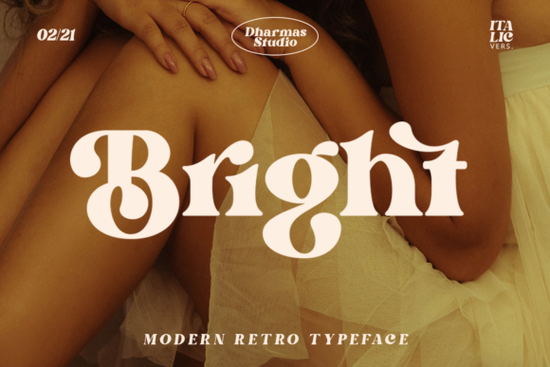
The Bright Font is designed for creators who want a typeface that commands attention without sacrificing readability. This stylish serif works well because it balances a modern structure with playful, old-school charm. It is not just another standard type file; it includes over 50 unique alternates and ligatures that add personality to every sentence. Whether you are working on merchandise or digital banners, this tool helps establish a distinct visual identity.
What defines the retro-modern aesthetic?
Many designers struggle to find a typeface that fits the nostalgia of the 1960s or 1970s while still feeling current. This font achieves that specific vibe through thick, clear strokes and a warm presence. The characters are bold enough to stand alone as headlines or subtle enough to support body copy in longer layouts. It avoids the scratchy edges often found in strict vintage recreations, making it safer for professional commercial print-on-demand projects.
If you wish to see how this specific style performs in search results across large libraries, you can find Bright easily on major platforms. This allows you to compare the weight and spacing against other releases before committing to a full download license.
How do the unique features enhance my project?
Standard fonts often repeat the same glyph shape for common letter combinations. With this inclusion set, you gain access to specialized PUA (Private Use Area) encoding. This means you can swap out regular letters for stylized versions automatically or manually. These swaps turn simple text into custom artwork instantly. Ligatures smooth out transitions between letters like 'fi' or 'fl', ensuring the flow looks intentional rather than accidental.
This level of detail is crucial for small business owners creating packaging or apparel. A logo needs to look polished even when scaled down to a small size. The alternate glyphs provide depth that prevents the design from looking flat or generic. You avoid the cookie-cutter look that customers expect from mass-market template designs.
Where does this type work best?
You should consider this asset for any project requiring a strong nostalgic connection. It pairs exceptionally well with hand-drawn illustrations and textured backgrounds. Here are some specific applications:
- Pod Merchandise: Use the bold weights for main slogans on t-shirts or tote bags to maximize visibility.
- Labels and Stickers: The sharp serifs read clearly on circular stickers for jars or products.
- Digital Invitations: Apply the light or medium variants for event details while keeping headers heavy.
- Social Media Graphics: Create quote cards that look vintage but remain legible on mobile screens.
Are there similar alternatives worth exploring?
While this collection has a specific charm, sometimes you might need slightly different curves or weight ratios. Browsing through collections dedicated to similar eras helps broaden your visual vocabulary. Checking out related options such as those found at this classic vintage series can offer inspiration for darker or more worn textures.
Similarly, if you enjoy mixing colors alongside your typography, finding a palette-friendly companion is smart. Exploring resources like the fun complementary typefaces listed elsewhere ensures you build a cohesive brand system. These links help you maintain consistency without switching design tools halfway through production.
Can I install this without compatibility issues?
Technical ease is a common concern for non-expert users. Since this font utilizes PUA encoding, basic installation requires placing the files in your operating system's designated folder. Once installed, most design software will recognize the standard keys. However, advanced features like alternates may require toggling settings within your graphic application. Toggling these settings gives you manual control over every variation.
Always verify your final export in PDF format. Sometimes software renders PUA characters differently depending on the version of the program used. Saving as a high-resolution image or PDF protects your layout integrity when sending files to print shops or clients.
Quick Design Checklist
- Download the files: Ensure both OpenType and TrueType versions are present if available.
- Install the font: Add the files to your system fonts directory.
- Restart your editor: Quit and reopen your graphics software to load the new typeface.
- Test the ligatures: Type out sample phrases to see which character swaps activate.
- Check contrast: Verify readability by testing the type in black over white and colored backgrounds.
Using a dedicated design element like this saves hours of manual editing. By leveraging built-in variations, you focus more on composition and less on fixing kerning. Keep this resource handy for whenever you need to inject a touch of mid-century flair into your workflow. The goal is efficiency without compromising on artistic quality.
Download Now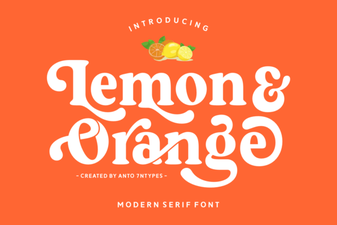 Lemon and Orange: a Citrus Font Pairing Guide
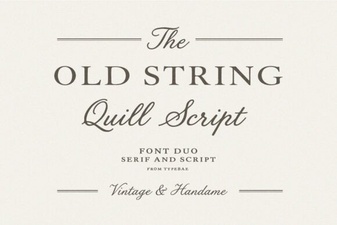 Creative Typography & Classic String Font Projects
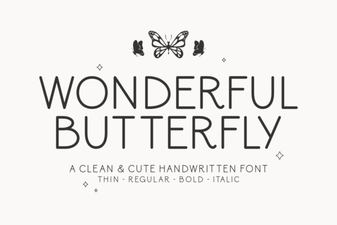 Wonderful Butterfly Fonts for Creative Designs
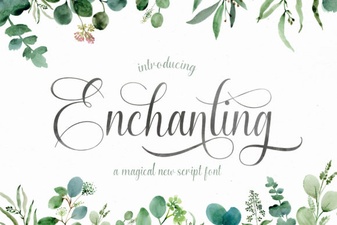 Elegant Script Fonts for Creative Projects
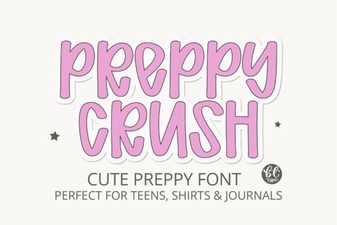 Download the Preppycrush Font: Elegant Design Projects
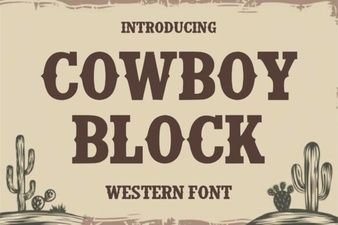 Craft Your Project with a Cowboy Block Font